
Senior Care Advisor
I worked on Senior Care Advisor, a specialty add-on service for our core product, from its inception to its delivery to our dev team.
This project showcased the full scope of Content Design—shaping user journey logic, testing CTAs and collaborating cross-functionally to answer: "Where do I go for senior care help when I don't know what to ask?"
WHAT I DID
Nuanced contributions that drove revenue
ROLE: Led all content from inception through dev handoff, including journey logic, CTA testing and landing page copy.
Pre-rate card content
Distilled a complex, unfamiliar service into a header and three bullets that gave users just enough context to feel confident moving forward.CTA optimization
Tested "Get an Advisor" vs. "Learn More" to understand whether users needed reassurance or momentum at the decision point. The data told us which one converted.Landing page content
Collaborated with the GM for Adult Care and legal to translate the full service vision into clear, compliant copy for users who had zero prior knowledge of the product.Data leveraged
Moderated UX studies, Seeker Council feedback, Facebook elder care community groups, exit survey data and CTA A/B test results.IMPACT

28% conversion lift


28% lift
48k in revenue
137 purchases
How we designed it
Two entry points — helping users find the right kind of help.
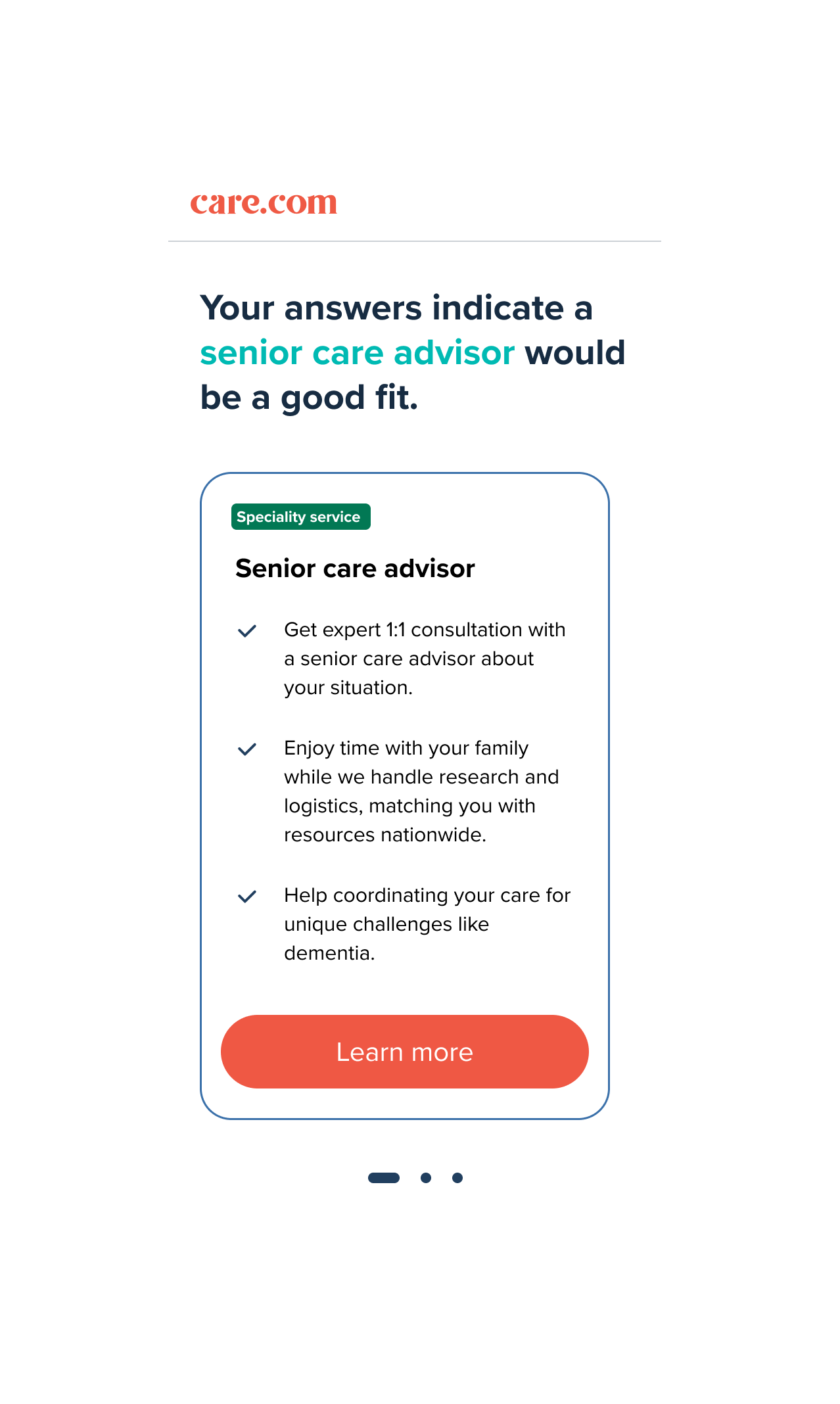
Users arrived at Senior Care Advisor from two distinct entry points: One actively seeking guidance through a quiz and the other who had just completed enrollment and may not have been looking for an add-on service at all. The content for each entry point had to meet users where they were.
Guided onboarding quizOn the quiz result screen, 'Your answers indicate a senior care advisor would be a good fit' uses the user's own responses as the rationale for the recommendation—making it feel personalized rather than promotional.
Guided onboarding quiz
Rate Card
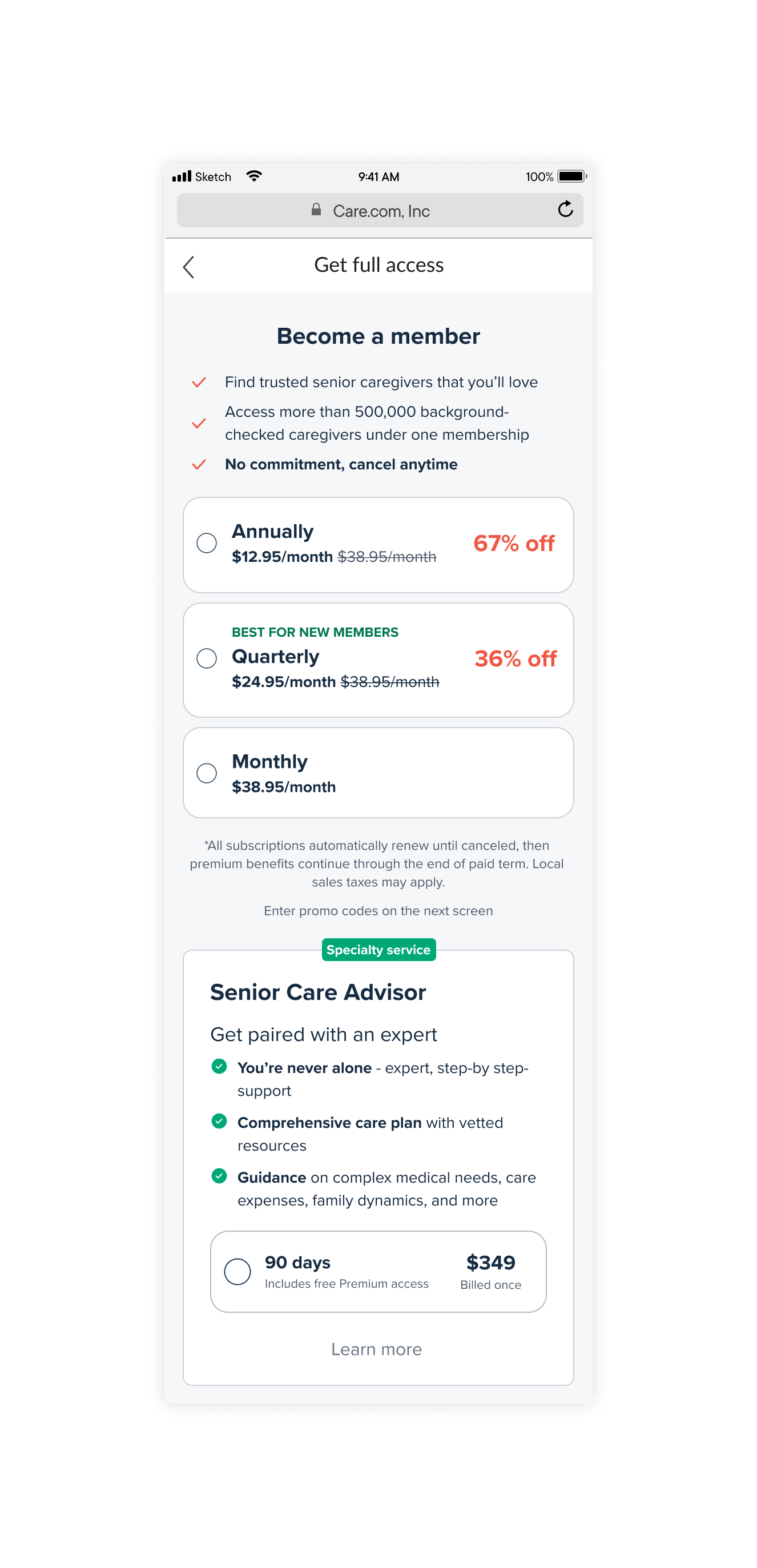
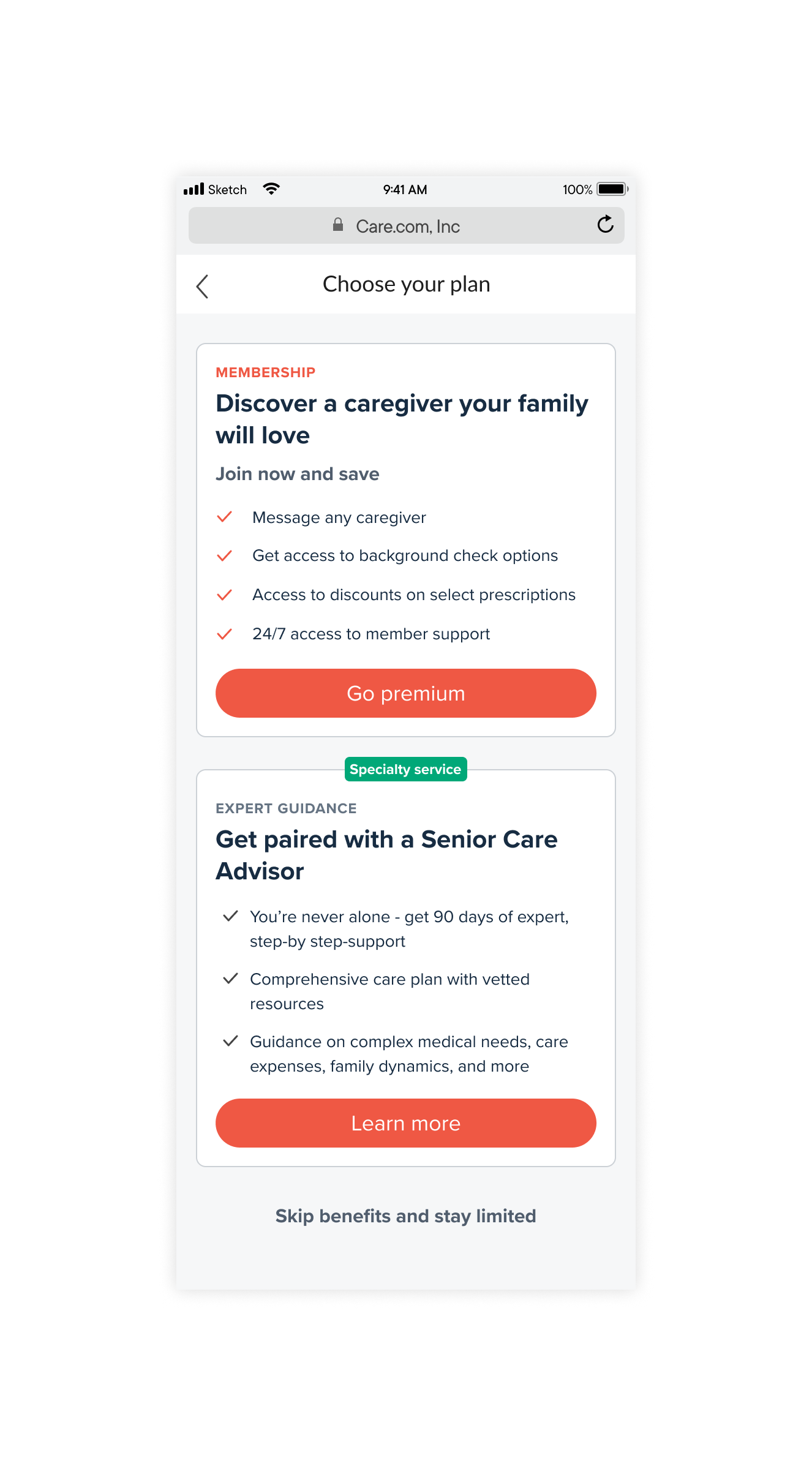
Users arriving at this screen had just learned about a new specialty service. The content challenge was making three pricing options feel clear and worth comparing—without overwhelming a user.
Senior Care Advisor Landing Page
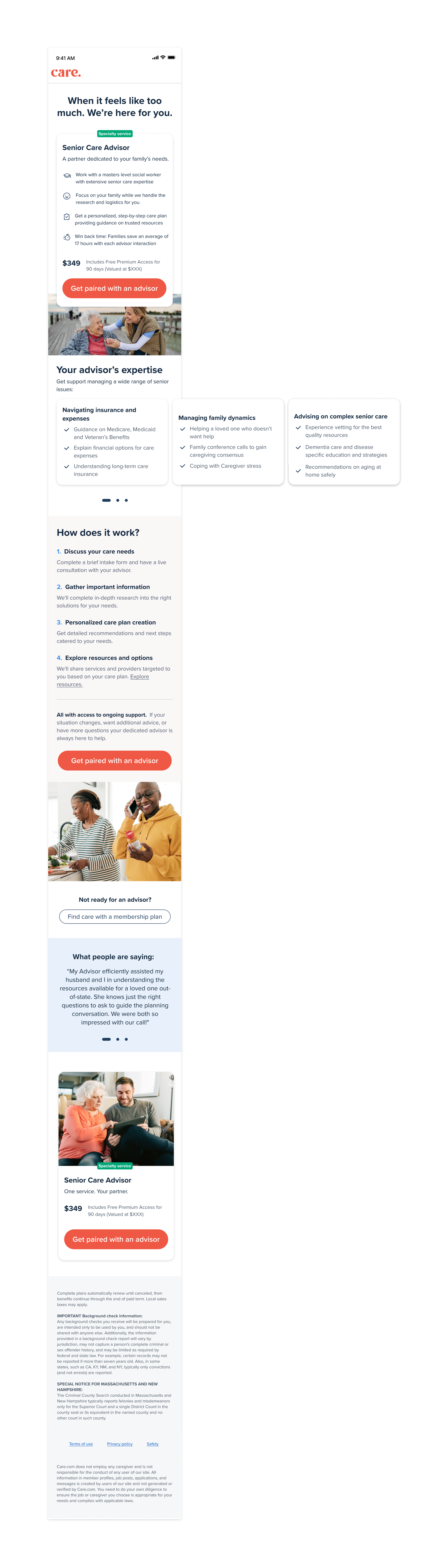
The headline was designed to lead with empathy before selling. Users arriving at this screen are often in a stressful family situation — the content needed to acknowledge that before presenting a product.
Distilling the full scope of the service into three clear categories required deep collaboration with the GM and subject matter experts to understand what users actually needed to see — not just what the service offered.
The 'how it works' sequence was designed to reduce purchase anxiety by making an unfamiliar service feel concrete and predictable.
All building to a CTA that clearly names the action while leaning into the emotional weight of the decision — 'Get paired with an advisor' is something we’ve earned to the right to ask the user, over something transactional like 'Buy now' or earlier in the flow.
Rate Card
The booking screen was a third-party Calendly integration with limited customization options. The content challenge was ensuring the language leading into this screen — particularly the CTA 'Get paired with an advisor' — did enough emotional and contextual work to carry users through the transition into an unbranded interface without losing momentum or trust.
Calendly branded booking screen
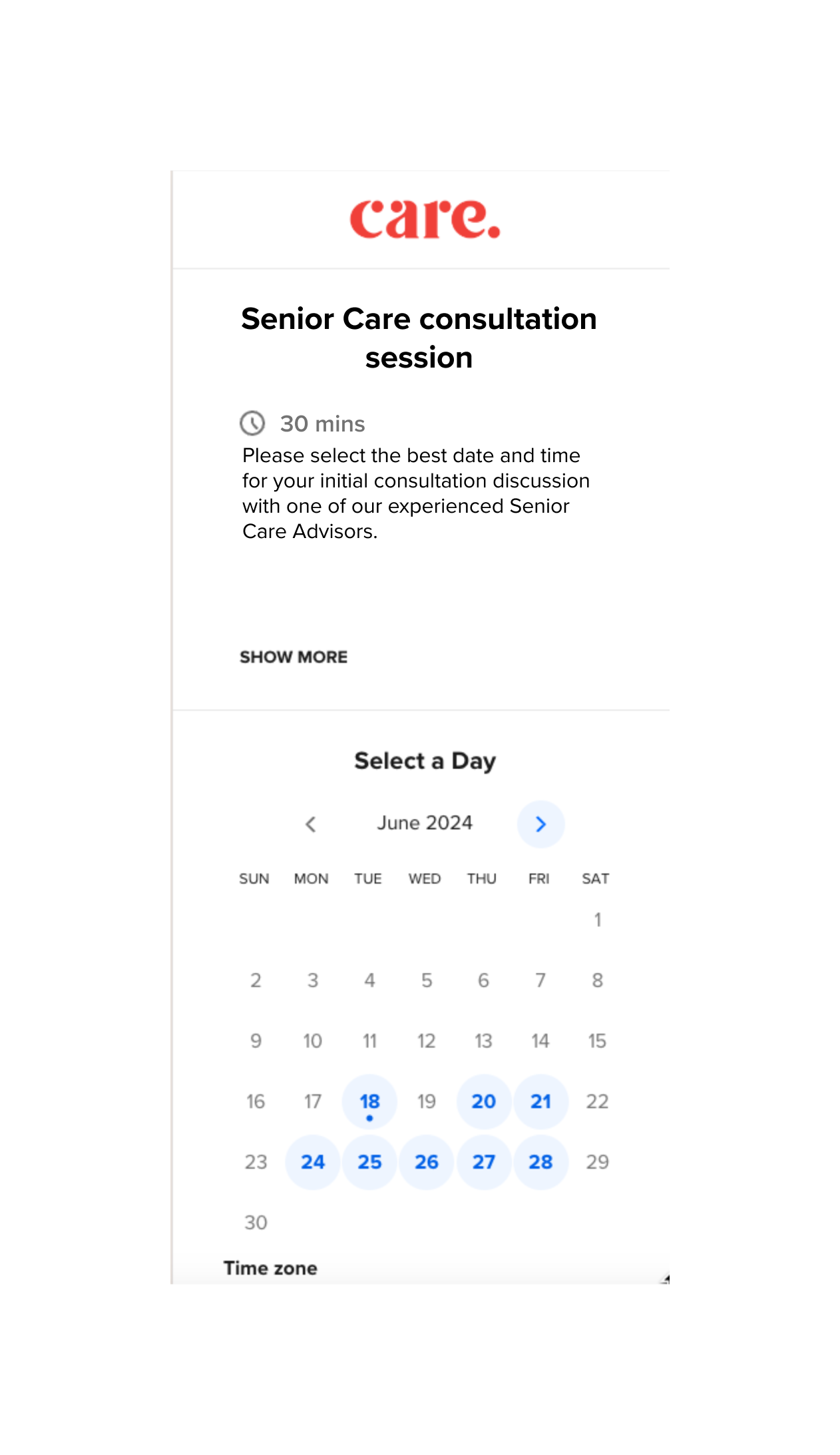
Calendly booking integration
Calendly branded booking screen
Confirming screen
Pre-rate card
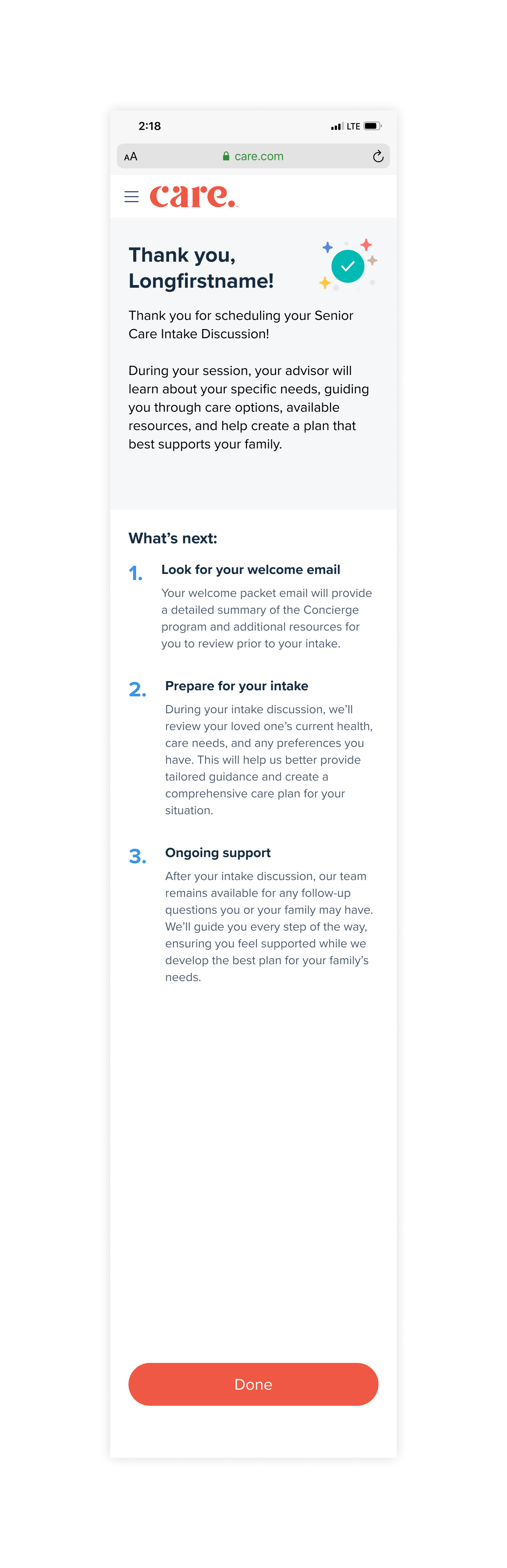
The confirmation screen is often an afterthought — but for a high-consideration, emotionally charged purchase, it's one of the most important moments in the journey.
A user who just committed $349 to help a vulnerable family member needs immediate reassurance that they made the right call.
The 'What's next' sequence was designed to eliminate post-purchase anxiety by making the path forward feel clear and supported before they even close the tab.
The post-enrollment pre-rate card had a different job: introduce a brand new service to someone whose primary task was already complete, without feeling like an upsell.
Both screens intentionally use 'Learn more' over something more aggressive like or 'Buy now'—a deliberate low-pressure content decision for users who may be navigating a stressful family situation and need to feel in control of the pace.